AI Native Control
Natural language commands backed by ChatDev IDE.
 shellx
Automate mobile apps with natural language, orchestrate infinite terminals, and bridge the last-mile gap between AI agents and real Android devices.
50 ms
Avg input latency
∞ Canvas
Resizable terminals
3 Modes
LAN · Cloud · ADB
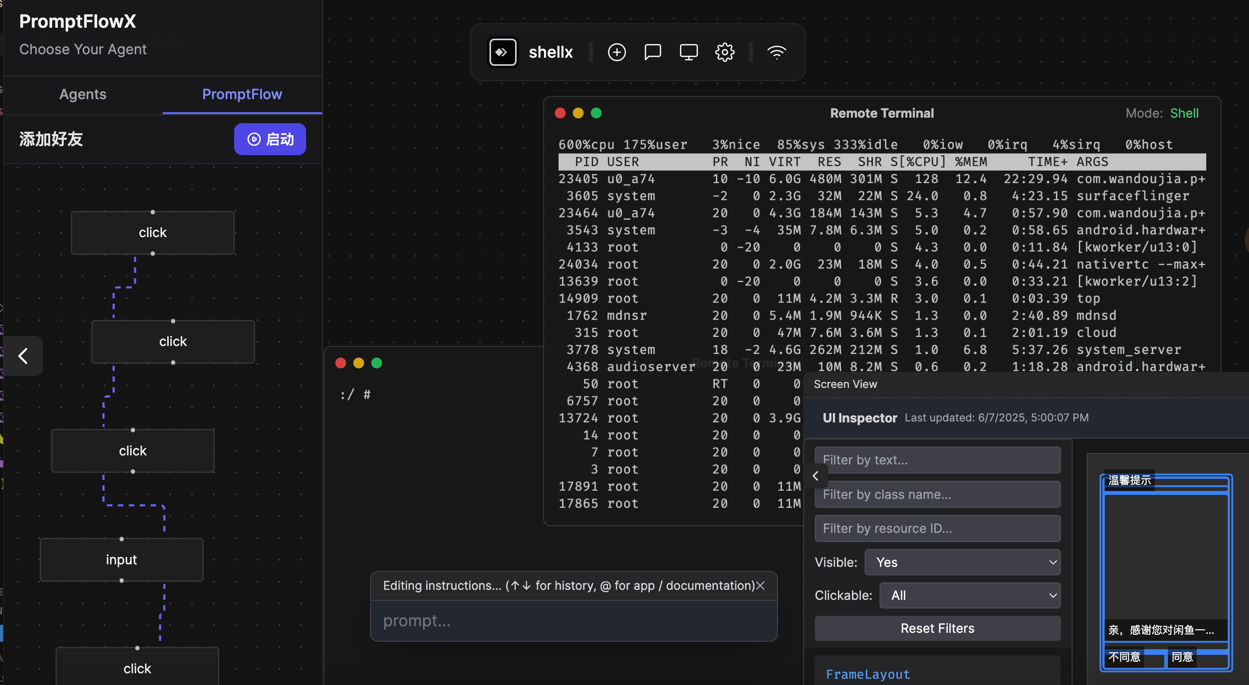
Orchestrate devices like code
Bring AI copilots into Android, automate QA labs, or unlock mobile-only data.
Natural language commands backed by ChatDev IDE.
Chain cross-app flows and replay reliable macros.
Run locally, in your LAN, or spin up cloud agents.
Deep Android integration
Built on SSHX, ByteHook, and a realtime canvas so AI agents can touch every pixel.
Conversational control that turns Android devices into autonomous terminals.
Low-latency WebSocket sessions to watch, tap, and type in parallel.
Powered by SSHX + ByteHook for near-native performance and stability.
Multi-tenant auth with scoped device keys and session level audit.
Create, resize, and rearrange multiple terminals with drag shortcuts.
Switch between ADB, LAN, and cloud relays based on the environment.
From prompt to production
Pair shellx with your LLM stack to run app flows entirely on real hardware.
Trigger repeatable flows like logins, purchases, and QA scenarios.
Pipe shellx sessions into LLMs, n8n, or CI to bridge mobile gaps.
Scrape gated offers and telemetry hidden behind mobile logins.
Three quick steps
Deploy the agent on any rooted or developer-enabled device.
InstallLaunch shellx and grab the device key or LAN endpoint.
View DocsPaste the key in your browser and take remote control.
Try OnlinePick your transport
Choose the network profile that matches your deployment environment.
Windows / macOS / Linux
Best for tethered ADB connections.
npm install -g shellx-cliStay in the loop
Follow new releases, automation blueprints, and device lab case studies.